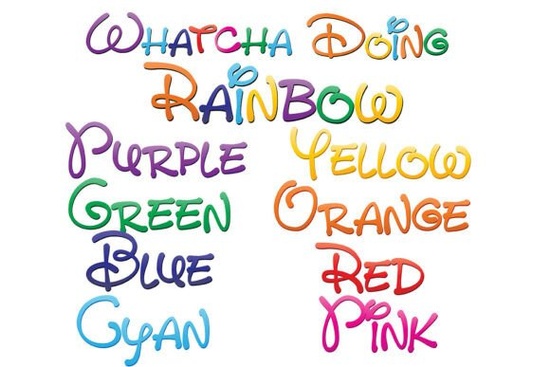
If you have been looking for a way to add instant vibrancy to your text without spending hours coloring in each letter manually, the Whatcha Doing Font is a fantastic solution. This isn't just a standard typeface; it is a collection of nine full-color fonts that come pre-loaded with a whimsical, hand-written print style. The standout feature here is the gradient. Instead of a flat black or single color, these letters feature a smooth transition through eight colors of the rainbow, plus a ninth font that combines them all.
For crafters and small business owners, time is money. Using a font that already has the color built-in saves you from having to apply complex layer styles in Photoshop or manually color every element in Illustrator. Whether you are making stickers, t-shirts, or social media graphics, this tool helps you create complex illustrations with simple text.
How do full-color SVG fonts actually work?
You might notice the product description mentions "OpenType full-color (SVG) fonts." It is important to understand what this means before you buy so you aren't surprised by how they install. Unlike traditional fonts that are just outlines, SVG fonts contain vector data and color information inside the font file itself.
When you install these on your Mac via FontBook or on Windows via the Control Panel, they act like normal fonts. However, there is a catch regarding compatibility. Color fonts will often show as black in non-compatible programs. You might even see them as black in the preview window of a program that does support them. The only way to know for sure if your software works with them is to type a few words into your actual document. If the rainbow gradient appears, you are good to go.
Currently, industry-standard software like Adobe products (Photoshop, Illustrator), Silhouette Studio, Quark, and Inkscape support these full-color SVG fonts. If you are using older software or basic word processors, you might only see the black outlines.
What projects are best for rainbow gradient text?
Because the Whatcha Doing Font is vector-based, it can be scaled to any size without losing quality. This makes it incredibly versatile for both digital and physical products. Here are a few ways creative hobbyists and POD sellers are using this style:
- Print on Demand: Use the text for funny quotes on t-shirts, mugs, or tote bags. The gradient adds a retro 70s or 80s vibe that is currently very popular in fashion.
- Sticker Design: Since the font is already colorful, you can create die-cut stickers without needing to worry about color separation during the printing process.
- Logo Design: For playful brands, bakeries, or children's products, a colorful logotype can serve as the entire brand identity without needing extra icons.
- Scrapbooking and Card Making: Digital scrapbookers can drop these fonts directly onto their layouts to add instant dimension and fun.
If you are exploring more options for colorful typography, you might want to check out our collection of colorful fonts to see how this style compares to others in the marketplace.
Why choose vector-based colorful fonts over images?
Many designers might be tempted to just type their text, color it, and save it as a PNG image. While that works for some things, using a font file offers significant advantages. First, it remains editable. If you make a typo or decide to change the wording from "Hello" to "Hi," you don't have to start your design over. You just backspace and retype.
Second, because these are SVG fonts, they are resolution-independent. If a client asks for a billboard-sized version of your design two years from now, the text will remain crisp and sharp. A rasterized image (like a JPEG or PNG) would become pixelated and blurry if stretched too large.
Things to remember before downloading
To get the most out of this purchase, keep these technical tips in mind:
- Check your software: Ensure you are using a program that supports OpenType-SVG fonts. Adobe Creative Cloud apps are usually the safest bet.
- Don't panic if it looks black: As mentioned, the preview window often lies. Trust the canvas, not the font menu.
- Layering: Since the font includes nine variations, you can layer different versions on top of each other to create unique shadow effects or multi-colored 3D text.
Adding personality to your designs doesn't have to be complicated. With the right tools, you can create professional-looking, colorful text in seconds rather than hours.
Quick Start Checklist:
- Verify your design software supports SVG fonts (e.g., Illustrator, Silhouette Studio).
- Download and install the font family via your system's font manager.
- Open your design program and type a test phrase to confirm color rendering.
- Experiment with the 9 different font files included in the pack to find your favorite gradient mix.
- Scale your text freely for your next POD or craft project.
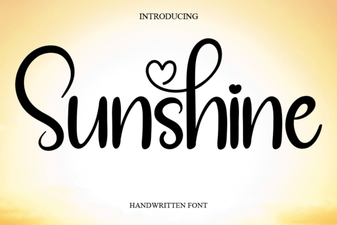 Sunshine Font: a Bright and Creative Typography Guide
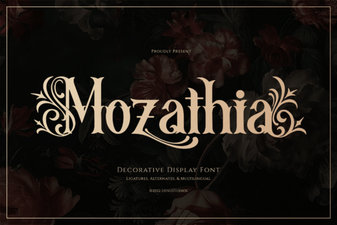 Unlock Creativity with Mozathia Font Design
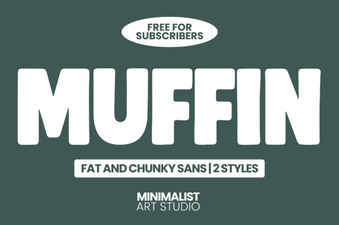 Muffin Font: a Tasteful Design Element
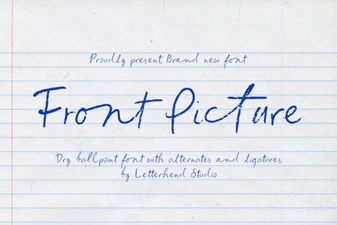 Crafting a Captivating Front Picture Font
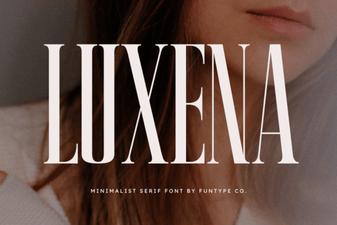 Luxena Font: Elegant Typography for Modern Projects
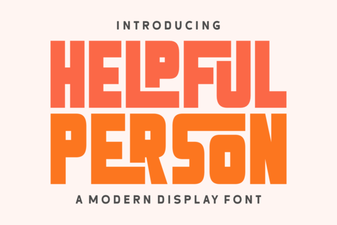 A Helpful Font for Inclusive Web Design Projects